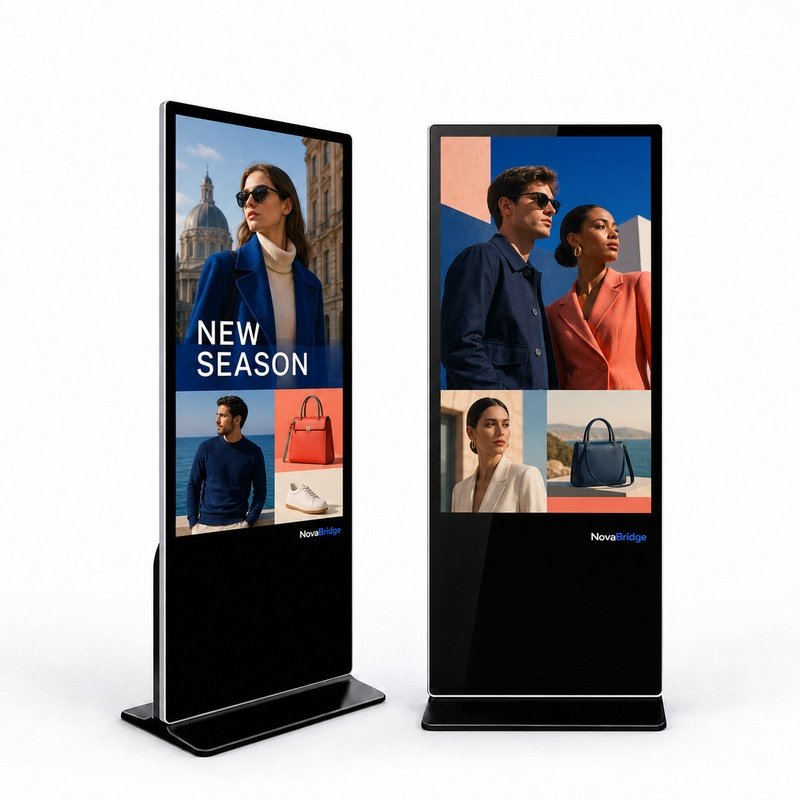
For buyers planning indoor floor standing digital signage for commercial spaces, a structured pre-deployment review helps align your selection with your functional and content goals. This checklist covers key decisions specific to freestanding indoor units, referencing standard commercial display specifications from the NB-IFS Series to help you prepare before finalizing your configuration. The published application list includes retail stores, shopping centres, hotels, restaurants, corporate lobbies and transport hubs. Buyers should still confirm the available floor area, access routes and power position for each proposed location.
Assess Placement and Space Requirements
Before selecting your hardware, confirm the exact placement of each unit across your locations. First, verify that a freestanding enclosure will not block foot traffic or emergency access routes at your chosen spot. Next, measure the available floor space to confirm the base of the unit will fit without overcrowding aisles, seating areas or walkways. Take note of ambient light levels at your placement during the times your signage will be active, as this information will help you select the right brightness specification for your unit. The NB-IFS Series is designed exclusively for indoor use, so confirm your intended placement falls within an interior commercial space to match the product’s design parameters.
Confirm Orientation and Screen Size
The NB-IFS Series of indoor floor standing digital signage is manufactured for freestanding installation in portrait orientation, which matches the format of many common static posters, directories and promotional displays used in commercial interiors. This series offers three distinct screen size options: 32 inch, 43 inch and 55 inch. When selecting your size, consider where the unit will be placed and how close viewers will typically stand to the display when engaging with your content. You can cross reference your available space and intended viewing position against the listed size options to find the option that fits your specific needs. For compact spaces that only accommodate a smaller footprint, one of the smaller size options may align better with your constraints, while larger open spaces can accommodate the 55 inch option.
Select Resolution and Brightness
The NB-IFS Series offers two resolution options to match your content needs: 1920 × 1080 and up to 3840 × 2160 4K UHD. All configurations use a commercial TFT LCD panel with a 16:9 aspect ratio. Brightness options fall between 350 and 450 nits, per the published product specifications. If you plan to display fine text such as directory listings or detailed product imagery, you can evaluate whether 4K UHD resolution aligns with your content requirements. For placements with higher ambient light, for example near large indoor windows, you can select a brightness level toward the higher end of the 350–450 nit range. If you are planning to display general promotional messaging, welcome content or seasonal advertisements, you can confirm whether full HD resolution meets your content’s detail needs before making your selection.
Choose Your Operating Platform
This line of indoor floor standing digital signage offers flexible platform options to match your project requirements. The standard configuration for the NB-IFS Series is Android 12, with 4 GB RAM and 32 GB storage. Windows 10/11 is available as an optional platform for buyers who require it. When choosing between the two available platforms, you can confirm which platform is compatible with your existing content management workflows and any custom software you plan to run on the display. All platform options are built to support the core use cases for indoor digital signage, including promotional content, venue directories and branded messaging across high-traffic commercial interiors.
Review Optional Features and Connectivity
The NB-IFS Series includes a range of standard features and optional add-ons to match your specific use case. Infrared multi-touch functionality is available as an optional add-on for interactive use cases. If your content does not require direct user interaction, you do not need to select this add-on for your configuration. Standard connectivity options included with all units are Wi-Fi, RJ45, USB and HDMI. You can confirm what type of connectivity you need for your deployment to ensure your selected configuration matches your existing network setup. All units come with integrated 2 × 5 W speakers built in for audio content. The enclosure for every unit is built from SPCC metal with a tempered glass front, matching the product’s design for commercial indoor use.
Final Pre-Configuration Confirmation Steps
Before finalizing your configuration request, complete a few final confirmation steps to streamline the process. First, confirm you have access to a nearby power source at each placement location, and plan for cable management to maintain a clean, uncluttered appearance. Second, confirm that your content management system works with your chosen operating platform to support your regular content update workflow. Third, compile all your requirements in one place, including the total number of units you need, screen size for each location, your preferred resolution, preferred platform, whether you need optional touch functionality, and any other specific needs for your deployment.